

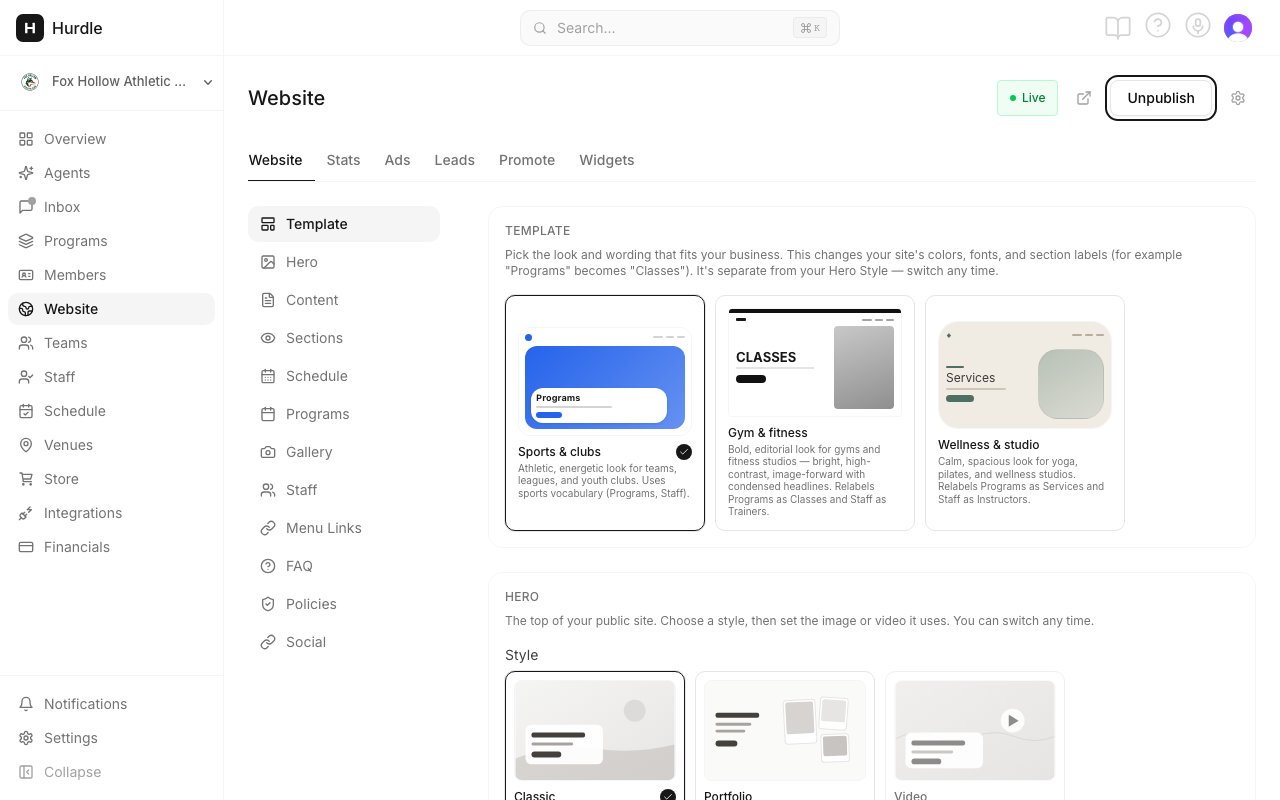
The Website page. The tabs run along the top.
The six tabs
The Website tab has four controls at the top:
- A Live or Draft label, so you know if your site is public.
- A preview button that opens your live site (shown once you publish).
- Publish or Unpublish. Both ask you to confirm.
- A gear for Site settings: your Hurdle web address, your own domain and your Meta Pixel.
Start here
Set up and publish
Add your words and a cover image, then go live.
Template and hero
Pick the look and the top of your homepage.
Widgets
Show your programs on a site you already have.
Your own domain
Use your own web address, like yourclub.com.
Leads
Follow up with people who did not finish.
Search and Google
What Hurdle does so people can find you.
Common questions
Where did Settings → Public Site go?
Where did Settings → Public Site go?
The website builder used to be under Settings, on a Public Site tab. It now has its own Website item in the left menu. There is no Public Site tab in Settings anymore.
What is the difference between my website and a program page?
What is the difference between my website and a program page?
Your website is a full site with a homepage, programs, schedule, staff, about and contact pages. A program page is the registration page for one program. It has its own link you can share anywhere. Program links always work, even when the Programs section of your website is turned off. See Your registration page.
Do I need to republish after I change something?
Do I need to republish after I change something?
No. Changes you make in Hurdle show on your site on their own within a few minutes. New programs, schedule changes, photos, staff, FAQ and contact details all update without you doing anything.