

Why it happens
Hurdle only lets you create programs once your Stripe account can take payments. Until Stripe finishes checking your business, the button stays locked. Point at the button and you see: “Connect your Stripe account to create programs and accept payments.”What to check
Go to: Settings → Payments → Stripe Connect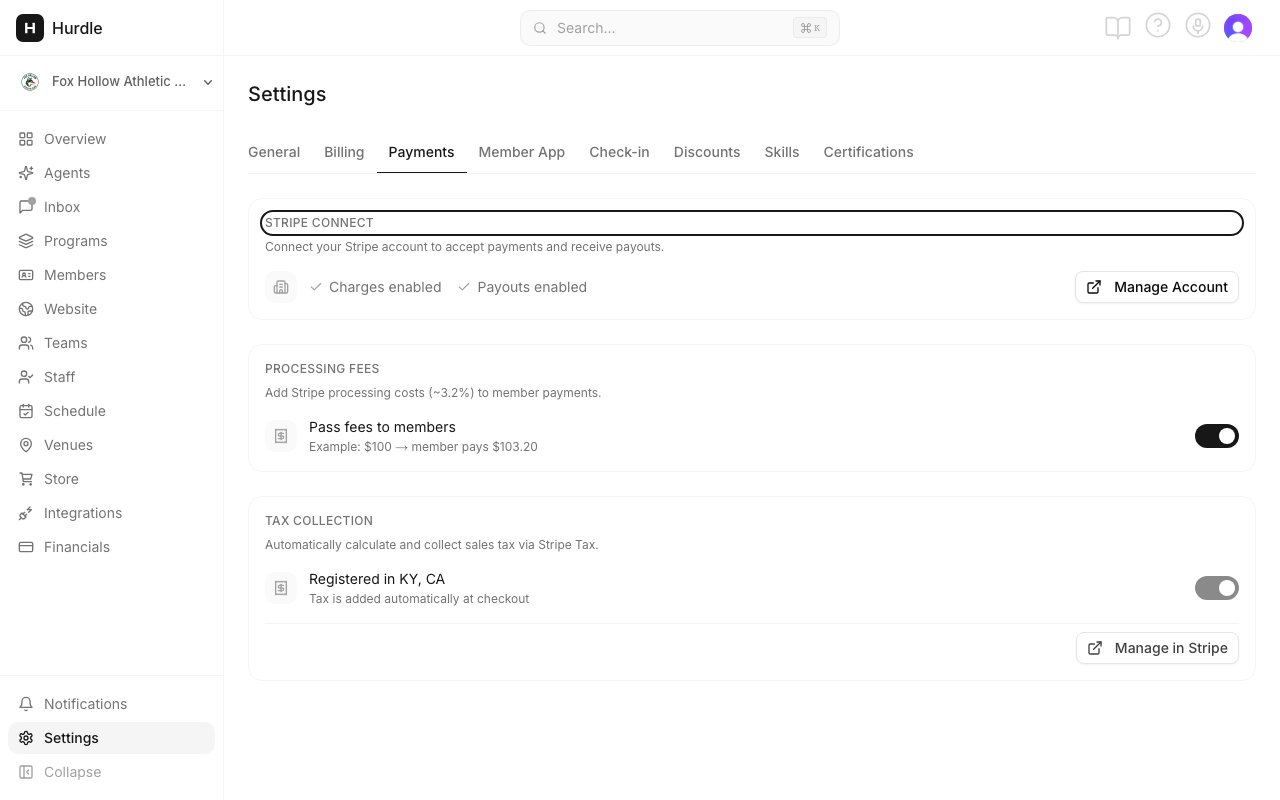
The Stripe Connect section shows where your setup stands.
- You see a Get Started button. You have not started yet. Click Get Started and follow Stripe’s steps. See Connect Stripe.
- It says Setup incomplete. Stripe still needs answers. Click Continue Setup and finish every step in Stripe.
- It says Action required. Stripe needs more information. On the Overview page, click Fix in Stripe on the task. It lists what Stripe is asking for.
- You finished in Stripe a moment ago. Click the refresh icon next to Continue Setup to check again. Then go back to Programs.
- You see Charges enabled. Stripe is connected. Reload the Programs page.
Still stuck?
- Check that you are an admin. Coaches do not see Programs in the left menu at all.
- If Charges enabled shows but Add Program is still grayed out, contact support. Tell us what the Stripe Connect section says.